如何将 Excel、Word 和 PowerPoint 转换为 PDF 而不上传数据
将办公文件转换为 PDF 很常见,但把私人文件上传到不熟悉的网站可能有风险。
为什么要避免上传私人文件?
- Private documents should stay on your device.
- Avoid upload tools for IDs, payments, school or office data.
- Use built-in PDF options first.
方法 1:在 Word 中使用另存为
- Open your Word document.
- Click File.
- Click Save As.
- Select PDF.
- Save the file.
方法 2:在 Excel 或 PowerPoint 中使用导出
- Open Excel or PowerPoint.
- Click File.
- Click Export.
- Choose PDF or Create PDF/XPS.
- Save your PDF.
方法 3:使用 Print to PDF
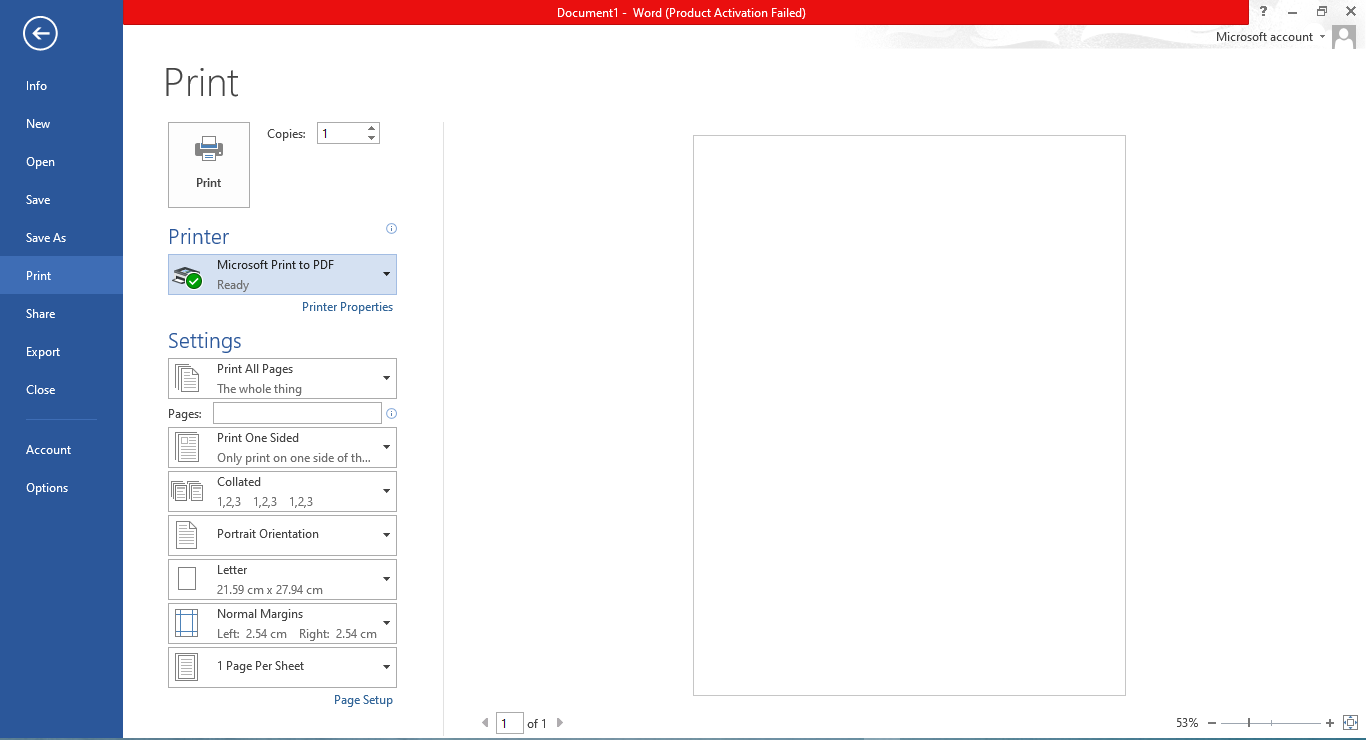
- Open your file.
- Press Ctrl + P or choose File → Print.
- Select Microsoft Print to PDF.
- Click Print.
- Choose folder and save.
为什么这种方法更安全
无需上传,数据保留在你的设备上。
常见问题
Is this safe?
Yes, because the PDF is created on your device.
最后建议
处理私人文件时,优先使用另存为、导出或 Print to PDF。
立即转换 JPG 到 PDF